



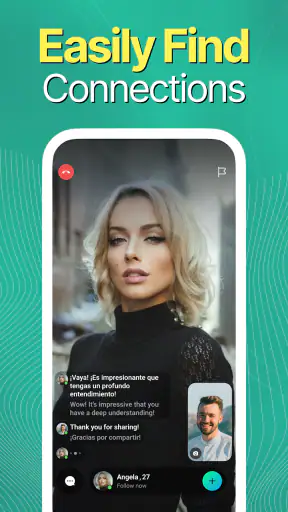
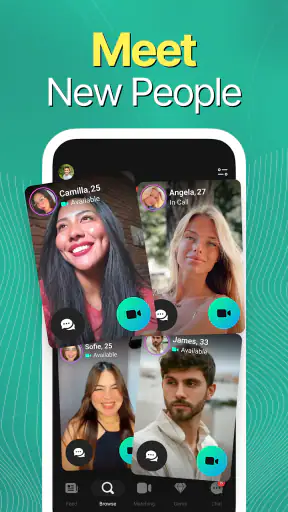
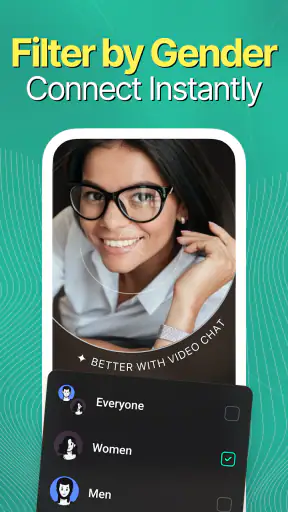
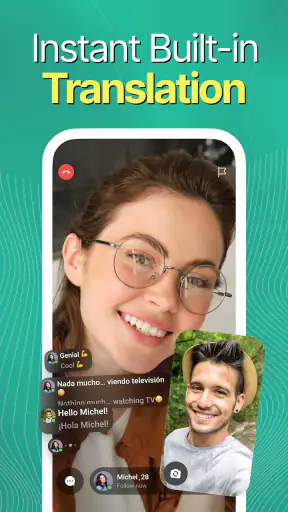
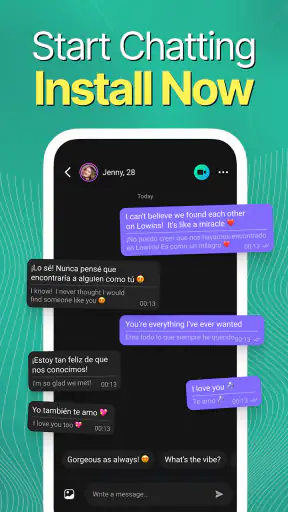

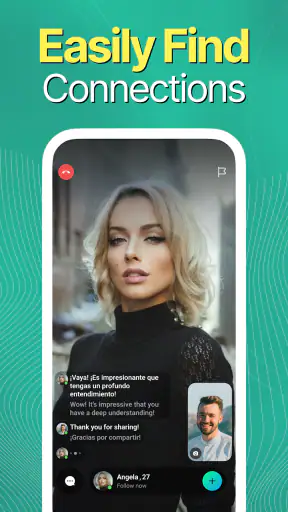
I approached Lowins - Live Video Chat as someone looking for a quick way to meet people through live video rather than another text-heavy social feed. It is a free social app from ADDATTAIN, aimed at adults, and its central promise is simple: help you connect with other people through video conversations. My first impression was that the app makes more sense when treated as a place for spontaneous interaction, not as a replacement for every social network you already use.
That distinction matters. If you want carefully edited profiles, a familiar list of people you already know, or a messaging service built around long conversations, this may not be your ideal first choice. If you prefer the immediacy of seeing and speaking with someone instead of waiting for replies, the format is more appealing. I found the experience easiest to understand when I set a small goal: complete the setup, learn how discovery works, and have one comfortable conversation rather than trying to explore everything at once.
What to expect before your first video chat
Lowins belongs to the social category, but it has a more direct feel than a conventional community app. The focus is live video, so the experience depends on your willingness to be present on camera and respond in real time. That can feel more personal than text, but it also leaves less room to edit your words or hide behind a carefully prepared profile.
The app is free to install, with optional purchases ranging from $0.99 to $199.99 per item. I would keep that detail in mind before getting deeply involved. Free access lets you try the basic experience, while optional spending can become relevant as you use the service more. My advice is to understand what an action does before confirming any purchase, especially if you are simply experimenting during your first session.
The audience is mature, with a 17+ content rating. I would not treat that label as a guarantee that every interaction will suit every adult, but it is a clear signal that this is not an app for children or casual family use. Anyone who is uncomfortable with unexpected conversations, adult-oriented social spaces, or appearing on camera should consider a more controlled alternative.
There is already a sizeable audience around the service: it has passed 1M+ installs and holds a 4.5 average from about 25K ratings. Those figures suggest that finding activity is part of the appeal, although popularity alone cannot tell you whether the people you meet will match your interests or communication style. I still recommend judging the app by the quality and comfort of your own interactions.
The current version is 1.8.72, and the app runs on Android 8.0 or later. That makes it accessible to many older Android phones, but live video is naturally more demanding than ordinary text messaging. A stable connection, a reasonably clear camera, and enough battery will make a noticeable difference. If your phone struggles with video in other apps, I would not expect this one to feel effortless.
Who is likely to enjoy it
I think Lowins is best suited to adults who want low-pressure opportunities to meet unfamiliar people and who are comfortable deciding quickly whether a conversation feels worthwhile. It can also suit someone who finds written introductions awkward but communicates more naturally through facial expressions and voice.
It is less suitable for people who need strong control over every part of the social experience. If you want to approve every contact in advance, communicate only with existing friends, or avoid live camera interaction altogether, a private messenger or a more traditional social network will probably serve you better. The app’s appeal comes from immediacy, and immediacy always involves a little uncertainty.
Setting up carefully instead of rushing through it
My recommended first setup is deliberately cautious. Install the app on a compatible Android device, open it when you have a few uninterrupted minutes, and avoid starting in a noisy or public place. Before appearing on camera, check your lighting and background. A window in front of you is usually more useful than a bright light behind you, and a quiet corner makes the first conversation less stressful.
Use a profile presentation that feels accurate without revealing information you would not want a stranger to know. I would avoid showing a workplace badge, a home address, travel documents, or anything that identifies your daily routine. This is not about making the app seem unsafe; it is simply sensible practice whenever a social service connects you with people you have not met.
Take a moment to notice the difference between moving through the app and committing to an interaction. Beginners often tap quickly because they want to understand the interface, then accidentally enter a conversation or an action they did not intend. Slow down around buttons that start video, move to another person, or involve optional purchases. A few extra seconds can prevent confusion later.
I also recommend deciding your boundaries before the first connection. For example, you might choose not to share your phone number, personal social accounts, exact location, or financial details during an initial chat. Having that rule ready is easier than inventing an answer while someone is pressing for information.
The first successful action
For a first-time user, success should not mean spending a long time in the app or collecting a large number of contacts. I would define it as completing one short, respectful video conversation and leaving with a clear understanding of how to continue or stop. That small objective makes the service feel manageable.
When a conversation begins, start with something ordinary: say hello, mention that you are trying the app for the first time, and ask an easy question about the person’s interests. You do not need an impressive opening line. In live video, a calm greeting is more useful than a clever one because it gives both people a chance to settle into the format.
Pay attention to how quickly the interaction becomes comfortable. A good first exchange does not have to become a friendship. It may simply show you that the other person is polite, responsive, and interested in a similar kind of conversation. If the interaction feels forced, confusing, or disrespectful, ending it is a successful decision too.
One practical workflow worked well for me: try one conversation, take a short pause, and then decide whether you want another. That pause prevents the endless-swiping mindset that can make social discovery tiring. It also gives you time to notice whether you are enjoying real conversations or merely tapping through possibilities.
If you are using the app after work, imagine this everyday scenario: you have ten quiet minutes before dinner and want a little human contact without arranging a full call with a friend. Lowins can fit that moment better than a traditional feed because it puts conversation first. However, if you are in a crowded train, sharing a room, or dealing with a weak connection, text-based messaging may be the more considerate and reliable option.
Confusion points that can affect the experience
The biggest adjustment is understanding that live video changes the normal social rhythm. On a text platform, you can ignore a message for an hour and answer when ready. Here, hesitation is visible, and a silent conversation can feel much longer. I found it helpful to accept that not every connection needs to work. The app is a discovery tool, not a promise that every person will be compatible.
Another common source of confusion is the difference between popularity and relevance. A large user base may give you more opportunities, but it does not automatically produce better conversations. You may need to move on from several uninteresting interactions before finding someone who shares your pace or interests. That is normal for this kind of social experience, but it can feel disappointing if you expect every connection to be meaningful.
There is also a privacy trade-off that deserves more attention than it usually gets. Video communicates more than words: your surroundings, habits, mood, and reactions are visible. A plain wall or neutral background is a simple way to reduce unnecessary exposure. I would also avoid switching from the app to another service too quickly just because a stranger suggests it. Keep the early conversation within the boundaries you chose during setup.
Moderation and personal judgement work together here. If someone makes you uncomfortable, pressures you, or ignores a clear boundary, do not stay to be polite. Use the app’s available controls to leave or manage the interaction, and do not respond with personal information. The most important safety feature is still your willingness to end a conversation early.
Optional purchases are another area where first-time users should remain alert. Because the app is free to start, it is easy to assume every useful action will remain free. That may not be the case for every part of the experience. I would treat purchases as a separate decision, not as a normal requirement for saying hello to someone, and I would never spend simply because a conversation is moving quickly.
How it compares with familiar social alternatives
Compared with a standard social network, Lowins feels more immediate and less dependent on building a polished public feed. You are not waiting for a post to attract reactions in the same way; the value comes from direct interaction. The trade-off is that a live conversation demands more attention and can be more unpredictable than browsing updates.
Compared with a private messaging app, it is better for meeting new people than for maintaining an established circle. A messenger gives you control over who can contact you because you normally begin with a known person or an exchanged contact. Lowins is more useful when discovery is the point, but that also means you should use stronger personal boundaries.
Compared with a dating-focused service, the social purpose here feels broader. I would not assume that every person you meet wants romance, friendship, language practice, or the same kind of connection you do. Being clear and respectful about your intentions prevents misunderstandings. If your only goal is structured dating with detailed compatibility tools, a dedicated dating app may be a better fit.
Compared with text-first random chat services, live video can make conversations feel more genuine because you hear tone and see reactions. It can also make awkwardness more intense and leaves less time to compose yourself. I would choose Lowins when I want immediacy, and a text option when I need privacy, quiet, or more control over the pace.
Small habits that make the app more useful
My first useful tip is to create a stopping rule. Decide in advance that you will leave an interaction after a clear boundary is crossed or after the conversation stops being mutual. This prevents the common mistake of staying because you feel responsible for entertaining a stranger.
My second tip is to treat your camera view as part of your profile. A clean, neutral background and steady framing communicate more than a long introduction. They also reduce the amount of personal information accidentally exposed. You do not need expensive equipment; thoughtful positioning is more important than trying to look professionally produced.
My third tip is to use short sessions rather than marathon browsing. Live social apps can become mentally tiring because every connection asks for attention. A brief session with a clear purpose—one conversation, a quick check-in, or a chance to meet someone with a shared interest—is easier to evaluate than an open-ended evening of tapping.
A fourth insight is that the best first question is usually specific but not intrusive. Asking what someone enjoys doing in their free time is more productive than demanding personal details. It gives the other person room to answer comfortably and helps you discover whether the conversation has a natural direction.
Finally, do not confuse a smooth first conversation with a reason to disclose more than you planned. Even if someone seems friendly, trust should develop gradually. The app can introduce people, but it cannot make a stranger trustworthy on your behalf.
My recommendation after using it
Lowins - Live Video Chat has a clear identity: it is a free social app for adults who want direct video interaction with new people. ADDATTAIN has positioned it around connection rather than a complicated collection of unrelated tools, and that focus is its strongest quality. The 4.5 average from its ratings and its 1M+ installs show that the format has attracted a substantial audience, but your personal experience will depend heavily on who you meet and how comfortable you are on camera.
I would recommend trying it if you enjoy spontaneous conversations, can protect your privacy without becoming overly anxious, and are willing to leave unproductive chats quickly. Start slowly, keep your first session short, and regard optional spending as something to evaluate rather than an expected part of joining. Those habits make the experience calmer and help you judge the app on its real strength: the possibility of an immediate, human conversation.
I would skip it if you want a quiet, fully controlled social space or if live video makes you uncomfortable. A private messenger, text-based community, or structured dating service may be a better choice in those situations. For everyone else, the best way to test Lowins is to aim for one respectful conversation, not endless discovery. If that first exchange feels natural, the app may earn a place in your social routine; if it does not, you will have learned that quickly without overcommitting your time, privacy, or money.


